February 21, 2025
As a web developer, I have the wonderful privilege of looking at some really beautiful websites, but I also stumble across some really bad ones. Lexington Public Schools just recently updated their website, and there’s a lot to discuss.
I was shocked by how poorly designed this website was. From poor routing practices to just terribly inconsistent styling, I found that every section had been downgraded. Not what you like to see from a public-facing website serving the whole town.
I will start with functionality, as I believe a school website should prioritize serving families and students with information as efficiently and conveniently as possible. Even though I find the styling to be appalling, I will discuss it later.
My first impression of the website was, “Where is everything?!” There is a huge amount of empty space, and yet the main goal of a school website should be to provide information quickly to students and families; I can’t imagine anyone visiting a school website for fun. Empty space should be minimal.
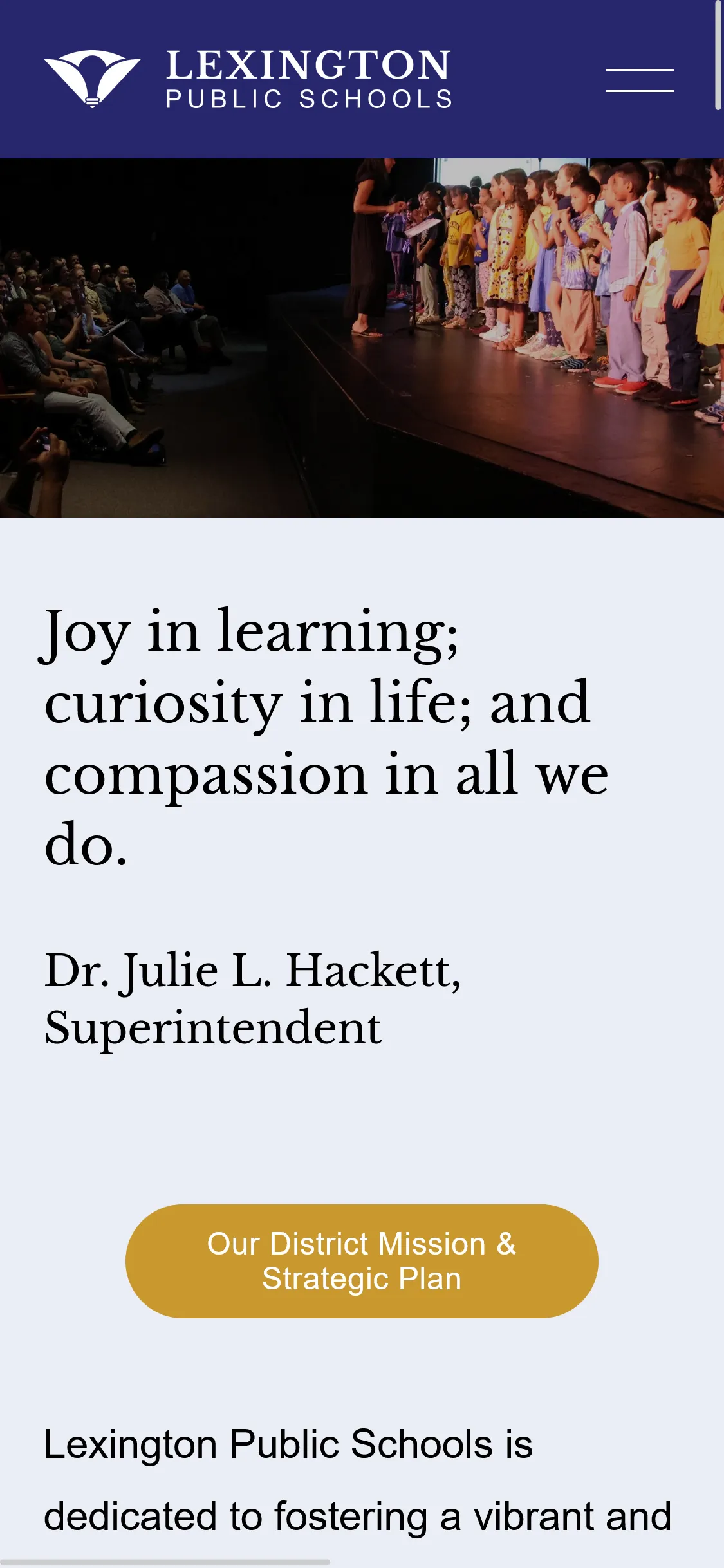
On desktop, I have to scroll one entire screen height to get to “LPS Quick Links”. The button linking to the “District Mission & Strategic Plan” and the empty space around it takes up nearly a QUARTER of the home page! I understand the importance of the district’s welcoming message, but surely it could be more compact.
On mobile, it is two screen heights, and the column of links has excessive padding. It’s only possible to see 3 link cards at once, when it should be possible to place all 6 links within one screen height.
I would also move the calendar to the very top (as it was before). That’s what I usually visited the website for.
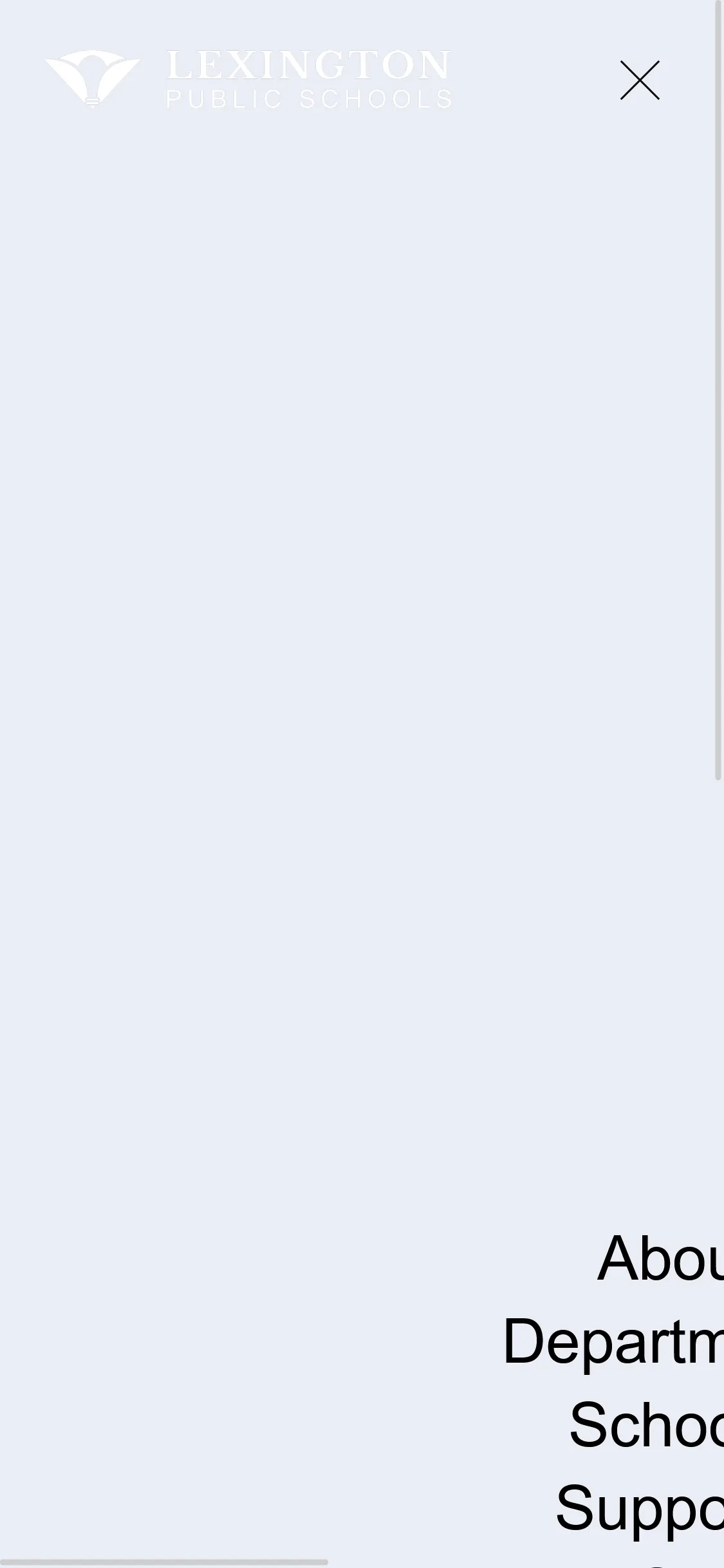
| Homepage on mobile | Top menu on mobile |
|---|---|
| |
Speaking of mobile users, the mobile navbar is completely broken. A cursory search tells me that more than half of web traffic comes from mobile devices, so responsiveness on mobile is crucial. The search bar and language switch aren’t even visible unless you scroll to the bottom.
Changing the LHS link from /lhs to /lexingtonhighschool most likely broke hundreds of bookmarks. If it is necessary that this new path be used, it shouldn’t be too hard to redirect the old URL to the new one. It’s likely that many other pages were changed in the same way.
When I first visited the new site, almost all the links were broken. Still, the “Staff” link in the navbar links to a dead Google Site.
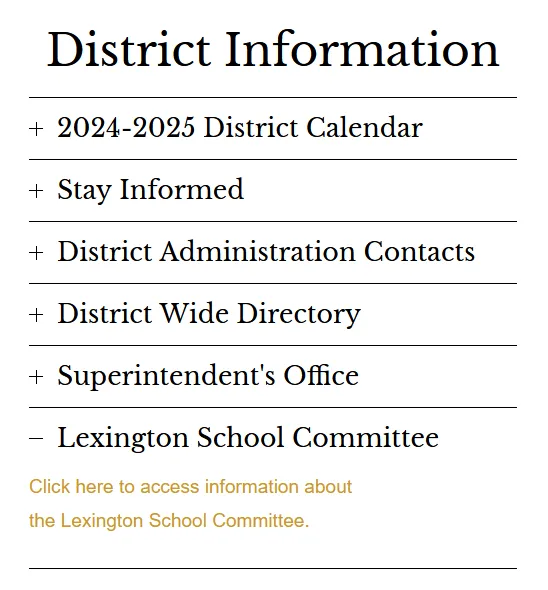
Accordions are used to conveniently hide and show large amounts of information, but here the hidden info is just a single link. So for most of these accordion items, the accordion is adding an extra click. Completely unnecessary.
| Accordion | Quick Links |
|---|---|
 | 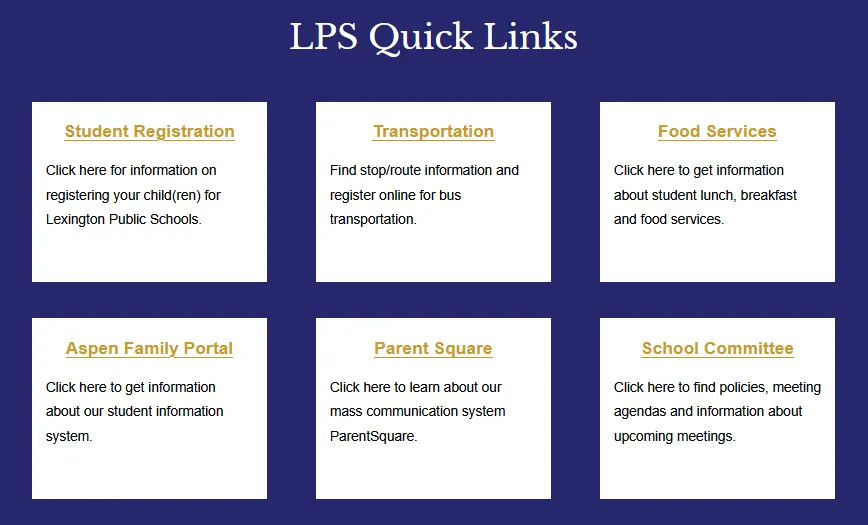 |
The same issue occurs in the Quick Links section (above right). There’s no need to say “Click here”. In fact, “here” isn’t even a link; the link is the underlined yellow text! Either remove the description altogether or shorten it and make it the entire link.
I will discuss the stylistic elements which I find unsatisfactory, but I am not providing the implementation of my suggestions as it is both not my job and because I do not know the website stack.
| Large radius, uneven padding | Small radius |
|---|---|
 |  |
The border radius and fonts are both inconsistent. Some buttons also have terribly uneven padding. And like the previous section, this button should be labeled “Open Positions”.
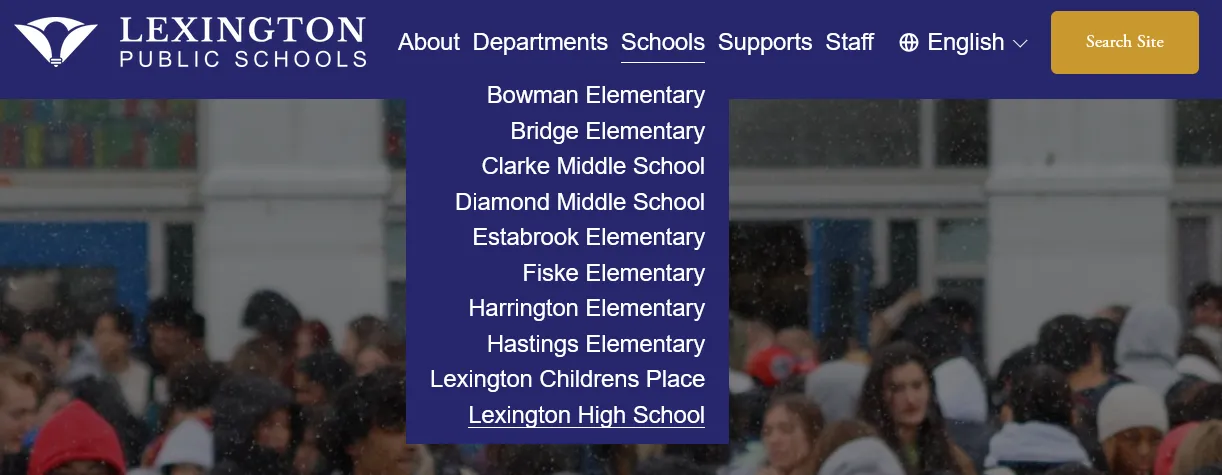
Besides the mobile issues mentioned previously, the first thing I notice is the lack of a visible hover effect in the dropdown list items.
The underline appears because it is the current page. My mouse is actually hovering over Harrington, but there is no visual indicator. The easiest way to fix this would be to add a background color change and transition on hover to each list item.
| Dropdown Hover Effects (Lack Thereof) | Language Select |
|---|---|
 | 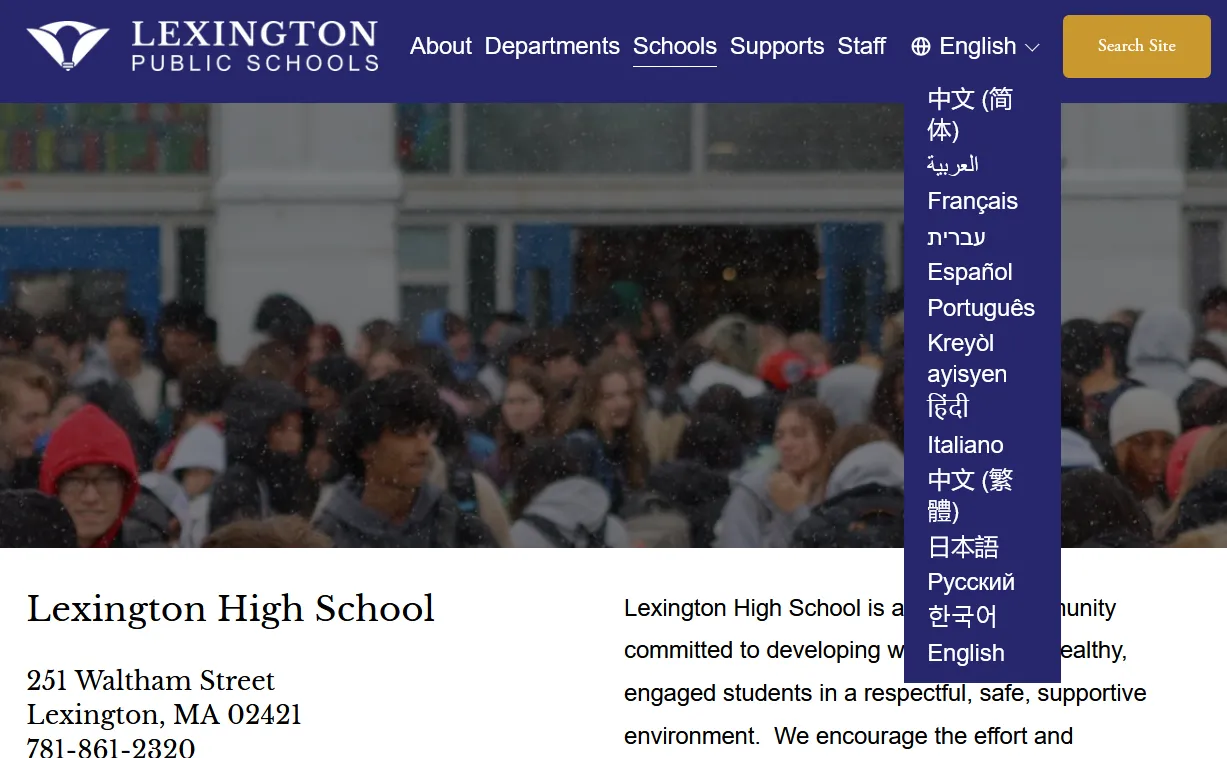 |
The language selector could also use some dividers (horizontal borders between list items) because some of the language names wrap onto a second line. It’s unclear where one option begins and ends. If you add dividers here, add them to the other dropdowns as well to keep the styling consistent. You could also simply make the dropdown wider to avoid this issue altogether. Being consistent is important so that users understand elements across the entire website.
border-radiusThe use of the border radius on the images on the homepage is tacky.
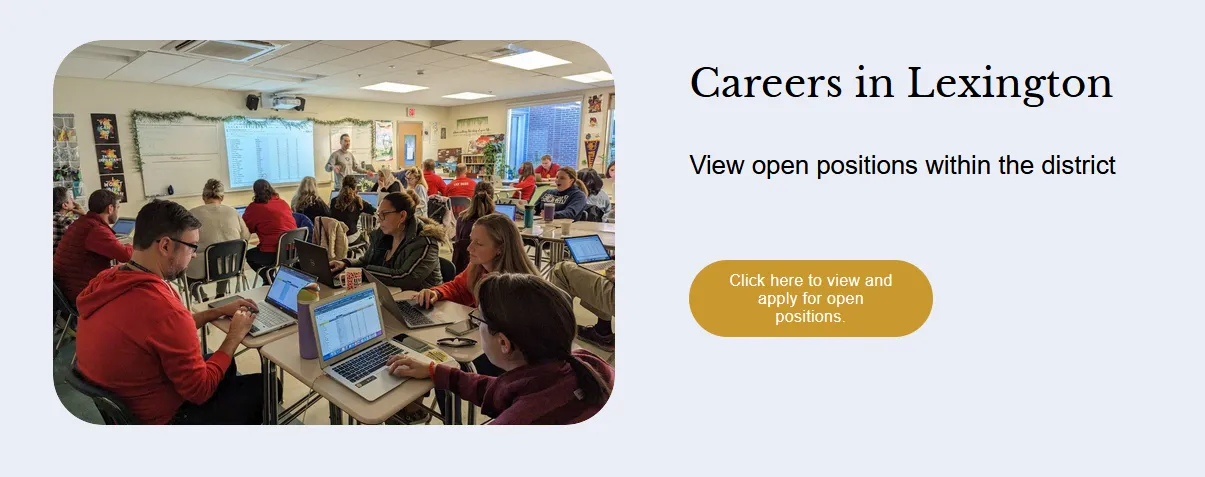
It’s neither small and subtle nor large enough to be fully round. But even that’s not really the issue, because I’ve seen other sites use a medium radius and still make it work. It’s just inconsistent. Go back and look at the various button styles. This doesn’t match any of them! Even though the absolute radius might be the same, the button is essentially fully rounded while the larger images are not.
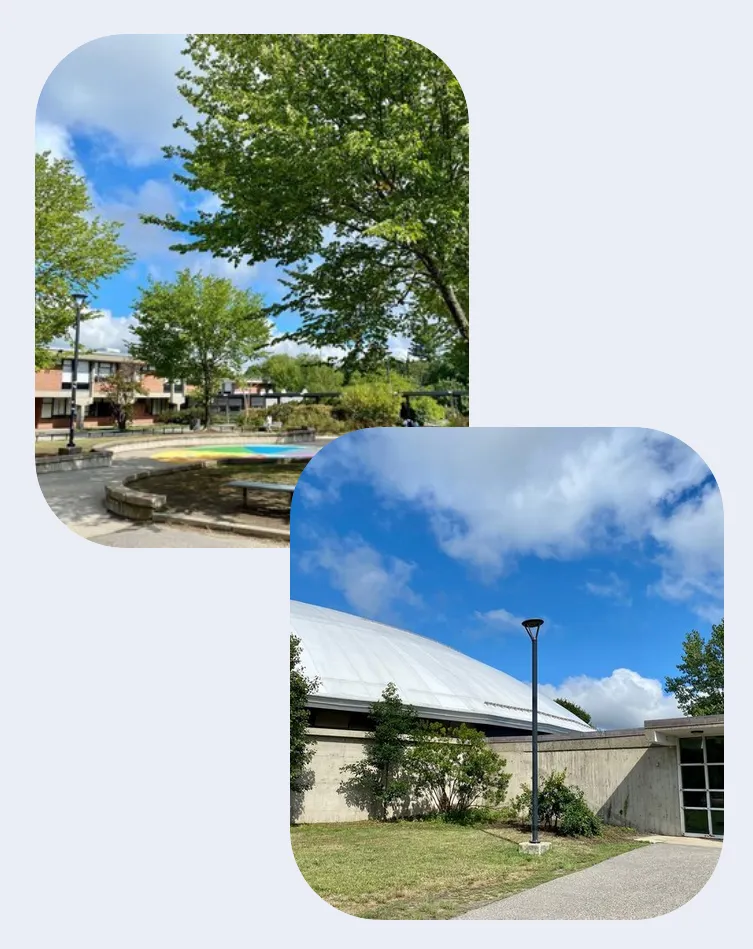
Actually, it gets worse because these two images have an even larger radius than the first image. I personally prefer smaller radii in my own projects. Additionally, nested elements should have smaller radii than their parents. Perhaps in the future I will compile a list of my favorite web design and development resources.
Overall, I’m disappointed and slightly embarrassed by the new site; I can only conclude that someone without much web design experience made it. I fully support anyone who is interested in contributing to our community through web development, but such an important website requires care and experience.
On websites, the small details matter; clunky user interfaces and incoherent designs contribute to an overall poor user experience. As the first impression of Lexington for many families, a good website experience builds trust.
I’ve written this post to provide insight into what good web development entails, and I hope that my criticism is constructive and leads to an improvement in the website. If I have time, I definitely would like to design a concept for a revamped LHS website.
Thank you for reading.